Showing posts with label public access computers. Show all posts

Friday, September 11, 2015

Protecting Patron Privacy

Beckstrom, Matthew. Protecting Patron Privacy: Safe Practices for Public Computers.
Santa Barbara, California : Libraries Unlimited, An Imprint of ABC-CLIO, LLC, 2015. ISBN:
978-1-61069-996-9.
From the publisher
Protect patron privacy and safeguard Internet usage using this how-to manual for creating a secure environment in your library. You'll learn how simple changes to your policies, procedures, and computer settings can ensure a private and safe research space for users.

In a world where almost anyone with computer savvy can hack, track, and record the online activities of others, your library can serve as a protected haven for your visitors who rely on the Internet to conduct research—if you take the necessary steps to safeguard their privacy. This book shows you how to protect patrons' privacy while using the technology that your library provides, including public computers, Internet access, wireless networks, and other devices.

Logically organized into two major sections, the first part of the book discusses why the privacy of your users is of paramount importance, explains the applicable laws and regulations related to patron privacy, and delves into the mechanics of security breaches on public computers. The second half outlines the practical steps you can take to preserve the rights of library visitors by working with computer and mobile device configurations, network security settings, and special applications.

Features
  • Offers clear, practical instructions on how to better ensure privacy in the library
  • Traces the history of libraries providing privacy to their patrons
  • Includes simple examples of programs, browser changes, and procedural changes that libraries can use
  • Introduces the way that the Internet and browsing works
  • Covers federal and state laws governing privacy issues

Contents
Foreword by Barbara Jones
Chapter 1: Privacy and How It is Lost
Chapter 2: Staff Procedures and Policy
Chapter 3: Patron Education
Chapter 4: Network Security and Devices
Chapter 5: Windows Settings and Applications
Chapter 6: Browser Settings and Plug-Ins
Index

Wednesday, October 13, 2010

Opportunity for All: How the American Public Benefits from Internet Access at U.S. Libraries

Opportunity for All: How the American Public Benefits from Internet Access at U.S. Libraries (call # US NF 4.2 In8x)

The library’s role as a technology resource has increased dramatically, and now nearly every library in the country offers free access to computers and the Internet. Millions of people rely on library technology to find work, apply for college, secure government benefits, learn about critical medical treatments, and connect with their communities.

Unfortunately libraries are struggling to maintain the technology necessary to keep pace with demand. The University of Washington Information School, with funding from the Bill & Melinda Gates Foundation and the Institute of Museum and Library Services, conducted this first of its kind, large-scale study of who uses public computers and Internet access in public libraries, the ways library patrons use this free technology service, why they use it, and how it affects their lives.

About the Report:
Title: Opportunity for All: How the American Public Benefits from Internet Access at U.S. Libraries (PDF, 2.57 MB, 212 pages)
Prepared by: University of Washington Information School and the Institute of Museum and Library Services
Date Published: March 2010

Monday, April 7, 2008

Sustaining Public Access Computing Programs

Sustaining Public Access Computing Programs: Technology and Management Competencies.

Editor, Betha Gutsche. Dublin, OH : WebJunction ; OCLC, c2007.

WebJunction’s competencies are divided into three sections—two of which address technical skills
and knowledge and a third that addresses the management of public access computing programs.

Technology Competencies for Patron Assistance defines skills that frontline library staff need in order to provide direct assistance to patrons on the public computers. The System Administration section defines skills necessary to set up, configure and maintain the public computers and networks.

The Management Competencies are the umbrella over all, covering the mastermaster-planning, coordination and integration aspects of running a public access computing program.

Monday, December 17, 2007

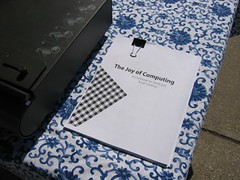
The Joy of Computing : A Cookbook for Small and Rural Libraries


[picture and text courtesy of the MaintainIT Project]

The Joy of Computing : A Cookbook for Small and Rural Libraries. MaintainIT Project, 2007. 85 pp.

Learn about locking down public computers, use a handy maintenance checklist, and more!

Download the entire pdf (2.27 MB)

Look inside the contents and download individual chapters

Once you've used the Cookbook, please take a moment to complete this anonymous survey. Thank you.

Chapter by chapter downloads are also available:

Getting Started
Download the pdf (412 KB)
This chapter describes what you'll find in the Cookbook, how to use it, and who was behind it.

Meal Plan 1: Focusing on Your Ingredients for Success
Download the pdf (352 KB)
Learn how to develop a technology plan that keeps your computers humming and your patrons happy.

Meal Plan 2: Meat and Potato Patron Computers
Download the pdf (962 KB)
Learn practical maintenance techniques, such as how to lock down your computer and keep them virus free!

Meal Plan 3: Volunteers for the Kitchen
Download the pdf (417 KB)
Learn how volunteers can improve the services you provide!

Meal Plan 4: Getting the Technology Training You Need
Download the pdf (313 KB)
Training is more than a class. Learn how to develop a plan to keep your staff on top--and ahead--of your technology.

Meal Plan 5: Future Menus for Library Technology Services
Download the pdf (398 KB)
Take time to consider the future and your library's place in it.

Appendix A: Library Spotlight--Tips & Techniques
Download the pdf (130 KB)
Read real stories from libraries on creative ways to keep computers available to the public.